Register Early = More Flexibility
Don’t risk missing required courses or important academic and financial resources. Work / life balance actually becomes harder, not easier when you delay.
Flexible Scheduling OptionsThe earlier you plan, the more control you have over your schedule and finances.
Timeline:
Planning Ahead
Available Classes Advisor Appointments Class schedules are posted two weeks before Priority Registration opens Use those two weeks to make your Advisor appointments, before Priority Registration opens Registration
Fall Semester Spring Semester Register during Priority Registration: March – April Register during Priority Registration: October – November Financial Aid + Scholarships
FAFSA or CASFA Scholarships Applications open October 1 each year to cover the next Fall, Spring, and Summer terms Priority applications open each year December 1 – March 1. Awarded funds will help cover the next Fall, Spring, and Summer terms

Get it right! Pay attention to:
These details impact all your dates, deadlines, and how you attend your class.

Don’t risk missing required courses or important academic and financial resources. Work / life balance actually becomes harder, not easier when you delay.
Flexible Scheduling Options
Submit your FAFSA or CASFA every year when applications open on October 1 to maximize opportunities. **You’re never required to accept all (or any) of what you’re offered. This helps you better understand what costs are covered (or not) and make informed financial decisions.
Submit yearly, not by semester
Money can run out! Scholarships are limited and awarded on a first-come, first-served basis. Apply every year between December 1 and the priority deadline on March 1.
Apply Yearly, not by semesterWhat you may not realize:
Early registration isn’t about pushing students to enroll. It’s about helping you move forward, one informed step at a time.
Need help logging in? Forgot your NetID?
We've got you! Stop by the ITS window in the Jordan Student Success Building (JSSB) or visit:
Information Technology Services (ITS)
Make an appointment to choose classes that keep you on track for graduation. Not sure who your Advisor is? Find out below.
Schedule An Appointment
The Degree Progress Report (DPR) helps you track completed, in-progress, and remaining degree requirements. Use it to plan ahead: especially when your Advisor is unavailable.
View Degree Progress Report
Class schedules are posted two weeks before Priority Registration opens. Browse classes, build your schedule, and register early. Changes can be made later.
Undergraduate Class Schedules
Account holds may prevent you from registering for, or withdrawing from, classes. Check the upper-right corner of your Student Profile for holds.
How to Clear Holds
Once your priority registration window opens, act quickly! Don’t risk missing out on required courses or key academic and financial resources. Keep your predictable Tuition Rates locked in.
Register Now!
Not sure how to register, add/drop classes, or join a waitlist? Our guide can walk you through the process.
How-To-Do
Review semester term requirements and important dates.
Looking for flexibility? Explore flexible course options
Tuition Lock Guarantee: Keep your rate predictable + finish your degree
Learn about affordability
When registering, pay attention to different parts of term and delivery methods.
What are parts of term?
What are delivery methods?
If you don’t meet the participation requirements that your instructor has set for each class, you may be dropped. This can impact your path to graduation and your financial aid eligibility.
MSU Denver is required by Title IV regulations to verify that all students are actively participating in their courses before the census date for each class.
What is the census date?
Basically, it’s the official reporting deadline that colleges and universities must follow. If you’re not actively engaged in your class by that date, MSU Denver cannot report your enrollment.
For more information: Participation Policy Webpage.
NOTE: Students meeting graduation requirements are not awarded automatically.
You’ve got to apply!
Degrees are awarded three times a year at the end of each semester: in May, August, and December.
Who is my academic advisor and how can they help me?
Academic advisors are your go-to resource for choosing majors, minors, concentrations, and other academic programs. They help connect your academic choices to career goals, clarify academic policies + procedures, and refer you to other university resources.
What if I am switching majors? Who is my academic advisor?
If you’re changing majors, first submit a change of major form.
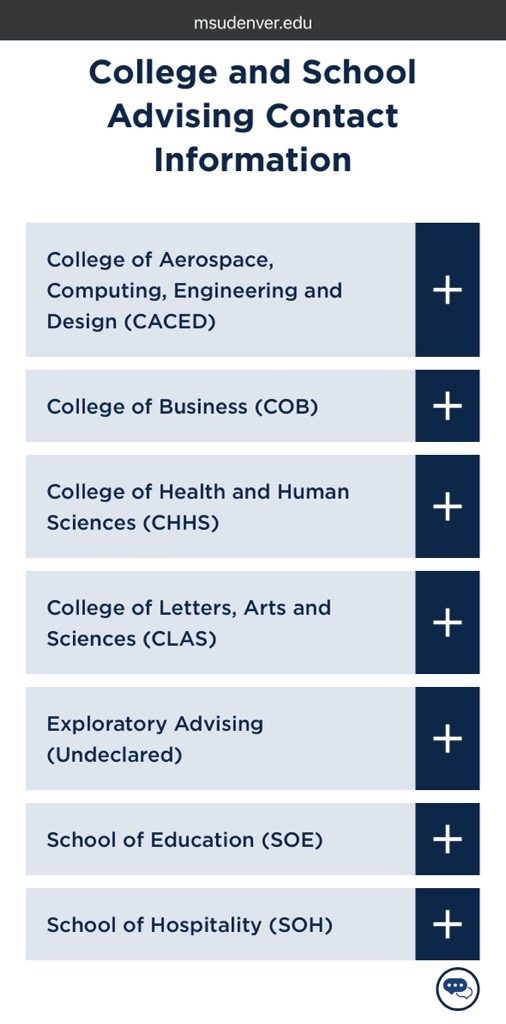
Next, you’ll need to reach out to an advisor in the department of your new major, not your current advisor. To do this, use the Advising website or contact the department directly – do not use the Guide App or the “Get Advising” button.
How do I know which credits from my previous institution will count?
Use the Transfer Toolbox to see which credits will transfer to MSU Denver, how they apply to your degree, and the necessary steps you need to complete. The Transfer Toolbox provides an unofficial evaluation, so you’ll still need to submit your official transcripts for a final review.
How can I submit an Administrative Withdrawal or Change of Information?
Visit the Registrar Student Forms page for self guided information to update a different student status or information before your next term.
Talk to RowdyBot!
RowdyBot is here to help you 24/7 with enrollment-related questions, and MSU Denver info.

Look for the chat feature in the right hand corner of each webpage.
RowdyBot will also send our students text messages (SMS) with important updates you need to know. Save the phone number, so you can text anytime!
RowdyBot is an AI platform with human help. The knowledgebase and responses are powered by MSU Denver staff.
Being on a waitlist does not guarantee a seat in the class.
If a seat becomes available, you’ll receive a notification via student email (so keep checking throughout the summer and winter breaks).
Follow the registration steps in that email and register within 24 hours to secure your spot. Otherwise, the seat will be offered to the next student.
More information: Waitlist Guide Resource
There are so many benefits waiting for you as an MSU Denver student!
Check out the Student Resource Guide for more information about the Health Center, Peer Support, Racial Equity Programs, Fraternity & Sorority Life, and more!
MSU Denver General Line:
(303) 556-5740
*Note: Call volumes and wait times increase as the semester approaches. Take action early — don’t wait until the last minute!
Office of Admissions:
(303) 556-3058
Registrar’s Office:
(303) 556-3991
Office of Financial Aid & Scholarships:
(303) 556-8593
You don’t need to have everything perfect, just start making progress.
You can make schedule changes before census if life changes.
Many registration holds can be resolved faster than you think.
Peak Fall hours are available!
You don’t need to have everything perfect, just start making progress.
You can make schedule changes before census if life changes.
Many registration holds can be resolved faster than you think.
Peak Fall hours are available!
You don’t need to have everything perfect, just start making progress.
You can make schedule changes before census if life changes.
Many registration holds can be resolved faster than you think.
Peak Fall hours are available!

Explore classes that align with your degree, work, and life. Pro Tip: Priority Registration gives early access to the classes you need. Check when the class meets (part of term) and how it’s offered (modality).
Build My Schedule
Find out if a hold is preventing you from registering or withdrawing and what to do next. Pro Tip: Holds can be placed throughout the semester. Many are easy to resolve, so check yours early.
Check My Holds
Get support choosing courses, exploring options, and planning your path to graduation. Pro Tip: Don’t wait until registration to ask questions. A quick conversation now can save you time later.
Find My Advisor1. Check your registration status
Log in to your Student Profile. Does your registration notice section in the upper-right corner say “Permits Registration”?
2. Check your holds
Some holds can prevent you from registering. Check your Student Profile via Student Hub under “Course Info” for hold codes and next steps.
3. Review your degree progress
Your Degree Progress Report (DPR) shows what you’ve completed and what you still need.
4. Meet with your advisor
Your advisor can help you understand degree requirements, explore options, choose courses, and answer questions.
5. Build your schedule
Available classes are posted two weeks before Priority Registration opens so you can start planning your schedule.
6. Register
When your timeslot opens during Priority Registration, log in to your Student Profile via Student Hub under “Web Services” to register for classes.
Start with the classes you need most. Prioritize core program requirements, especially courses that may only be offered once a year. The earlier you plan, the more options you have.
Understand Priority RegistrationDon’t wait for your schedule to plan for school costs. Complete FAFSA or CASFA as early as possible to review your financial aid. Starting early gives you time to ask questions, fix missing information, and budget ahead.
Financial Aid & ScholarshipsWork, childcare, transportation, and life can change. Starting early gives you more time to adjust your schedule, explore options, and get help if something comes up.
Flexible Class OfferingsRecommended: 20 - 120