
Have Questions? We have answers.
Contact UsWindows Install Guide
NOTE: If you have not already downloaded the files, please follow the steps on our Download Instructions page.
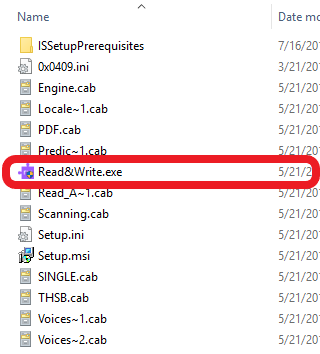
- Once you’ve downloaded the file, open the folder it was downloaded to and then double-select “Read&Write.exe” (look for the purple puzzle piece icon).
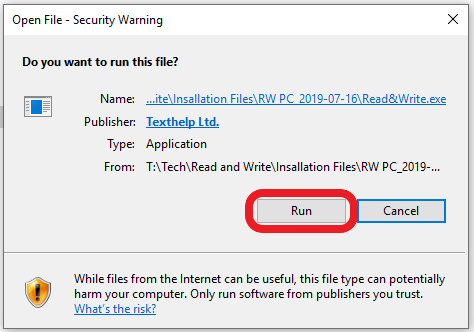
- A security window may pop up asking if you want to run the file. select Run. If you do not see this window, proceed to the next step.
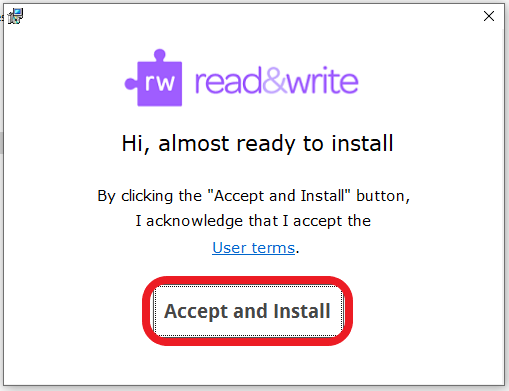
- A window will open asking if you accept the terms. select Accept and Install to continue.
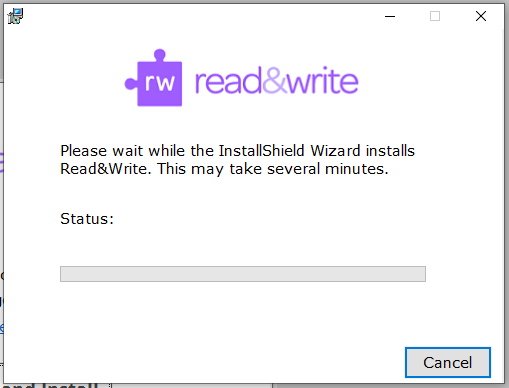
- The installer will begin and a progress bar may appear. It may take several minutes to complete, so please be patient.
- Once the program is done installing a purple puzzle piece icon will appear on your desktop. Double select on this icon to launch the program.
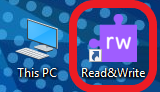
- When the program launches, it will be minimized at the top of your screen. To expand the toolbar, select the tab.

- IMPORTANT: You must be connected to the internet for this step to be completed. A dialogue box will appear asking you to select a method of sign in. You MUST select Sign in with Microsoft to properly activate the license. NOTE: Choosing Sign in with Google will not properly activate the license, and you will only be given a 30 day free trial.
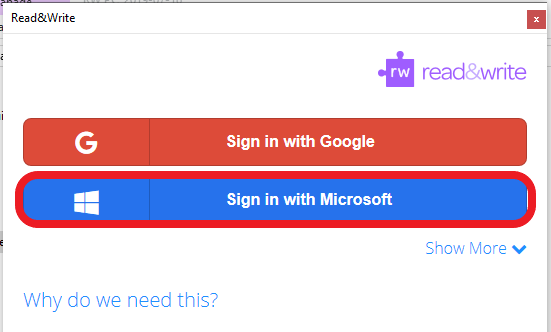
- When prompted, enter your MSU Denver student email and password. If a box appears asking you to Allow access to the program, please select Allow.
- When complete, select Get Started.
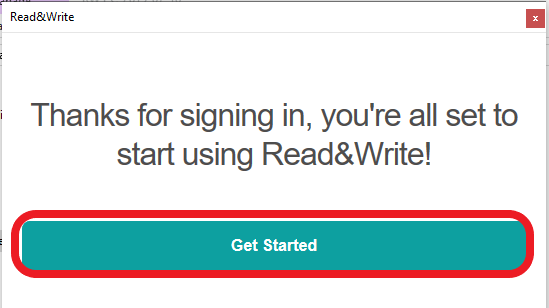
- You’re ready to use Read&Write!

Mac Install Guide
NOTE: If you have not already downloaded the files, please follow the steps on our Download Instructions page.
PLEASE NOTE: These instructions are intended for Mac desktop and laptop computers only. These instructions are not for iOS (iPhone or iPad).
- Once you’ve downloaded the file, locate read&write.dmg in your Downloads folder, then right-select it, and select Open.
- A window will open asking you to drag the icon into the applications folder. select and drag the purple puzzle icon to the folder icon. A progress bar may appear while the application is installing. When the installation is complete, the progress bar and window will close.
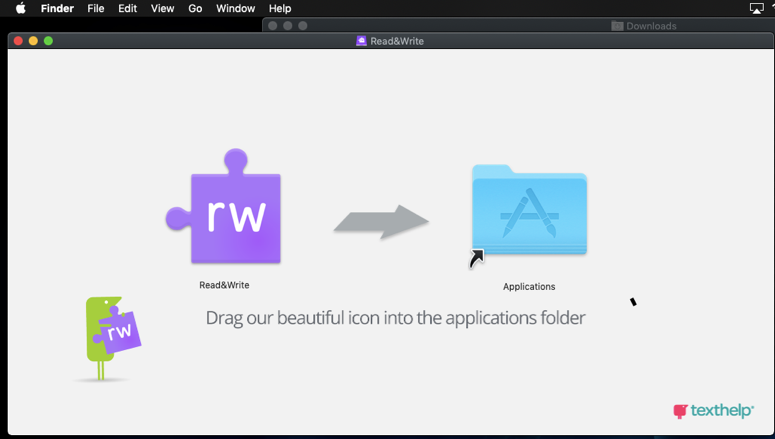
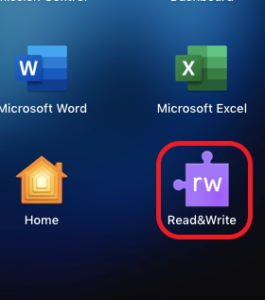
- Open your Applications folder by selecting Finder on your dock, or by pressing F4 on your keyboard. Scroll until you see Read&Write, then double-select it to launch the program.
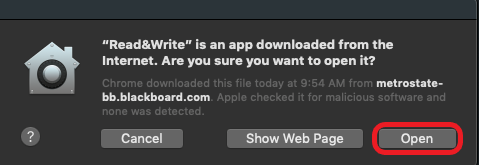
- A security message will appear asking if you’re sure you want to open the app. select Open.
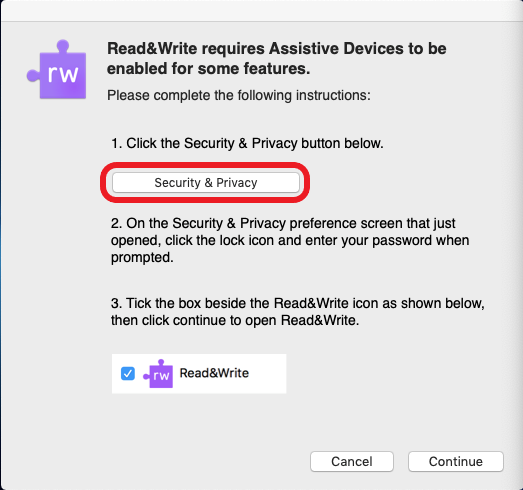
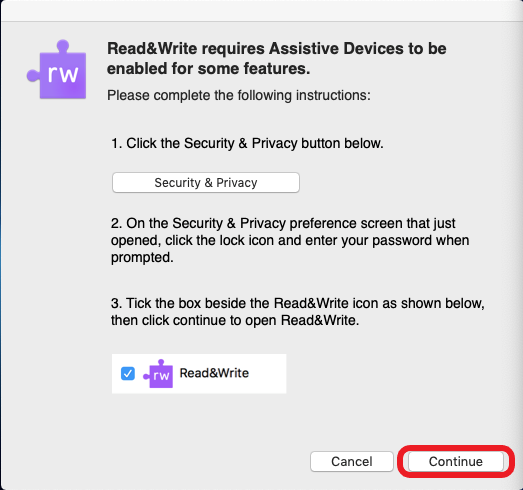
- A window will open asking you to enable Assistive Devices. select the Security & Privacy button.
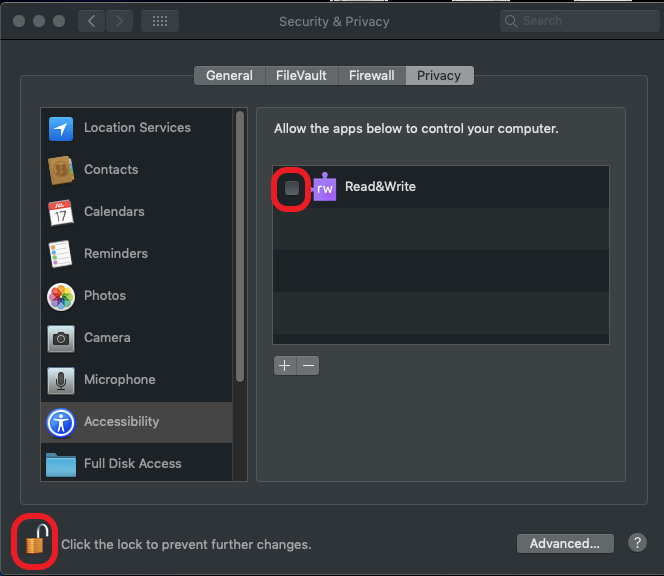
- A Security & Privacy window will open. If the icon in the bottom-left corner is not already “unlocked”, select it then enter your Mac system password. Then, check the box next to Read&Write, and close the Security & Privacy window.
- The Assistive Devices window should still be open. select the Continue button.
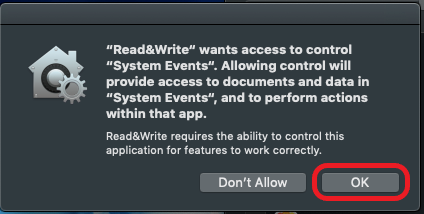
- Another security message will appear asking if you would like to allow the program to access “System Events”. select OK.
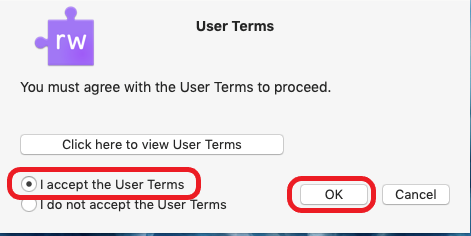
- A User Terms window will appear. select the radio button next to “I accept the User Terms,” then select OK.
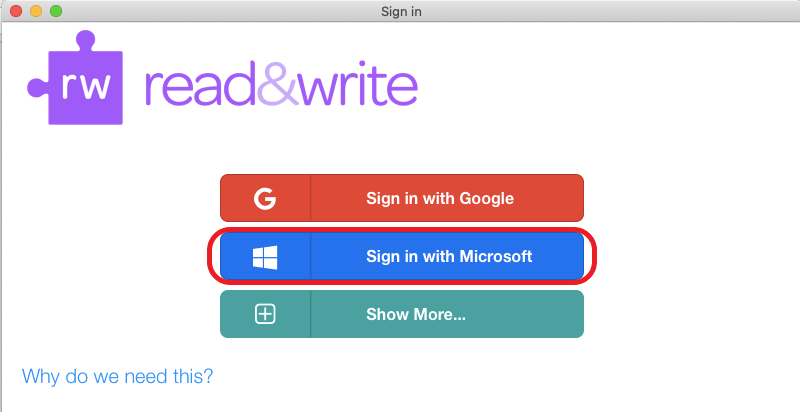
- IMPORTANT: You must be connected to the internet for this step to be completed. A dialogue box will appear asking you to select a method of sign in. You MUST select Sign in with Microsoft to properly activate the license. NOTE: Choosing Sign in with Google will not properly activate the license, and you will only be given a 30 day free trial.
- When prompted, enter your MSU Denver student email and password. If a box appears asking you to Allow access to the program, select Allow.
- Once you’ve logged in, the program is ready for use! You can launch the program from the Apps list by opening Finder or by pressing F4 on your keyboard. Alternatively, you can drag and drop the icon from the Apps folder to your Dock.

Chrome Install Guide
Important Note: This version of Read&Write is web-based and will only run within the Google Chrome browser. If you are using a Windows or Mac computer, it is highly recommended you download and install the associated desktop version.
- To install Read&Write for Google Chrome, search for it on the Chrome Web Store, or select this link: https://chrome.google.com/webstore/detail/readwrite-for-google-chro/inoeonmfapjbbkmdafoankkfajkcphgd
- Select the Add to Chrome button.
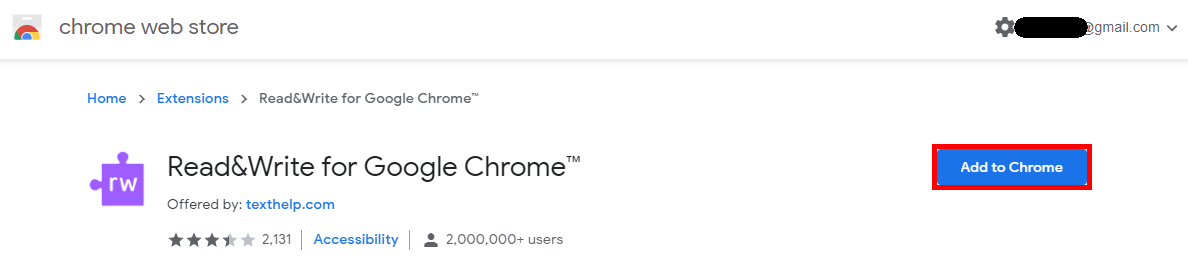
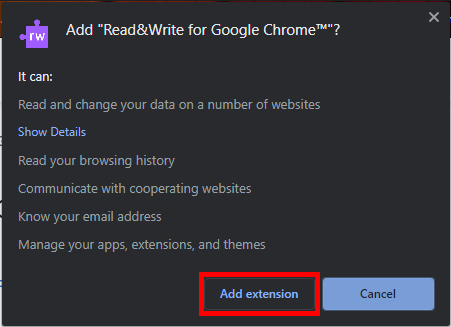
- A pop up will appear asking you to confirm that you would like to add the extension. Select the Add extension button.
- When Chrome has finished adding the extension, a popup will appear in the corner to confirm the process is complete.
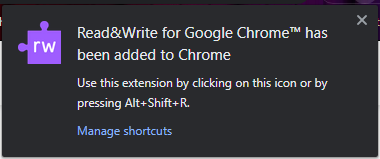
Important note: To continue the setup, you will need to be on a website other than the Chrome Web Store, as Read&Write will not launch while you are on the Web Store page. A good site to use is the MSU Denver homepage, msudenver.edu. - Launch Read&Write by selecting the purple puzzle piece icon at the top right corner of Chrome, or by pressing Alt + Shift + R on your keyboard. The toolbar will appear near the top of the browser.

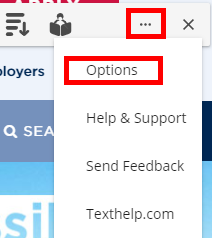
- On the far right of the toolbar, select the three horizontal dots to open the More menu, then select Options.
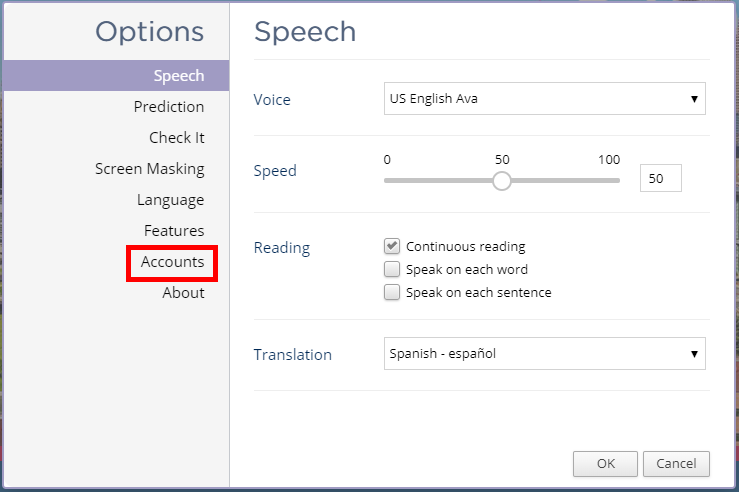
- In the Options window, select Accounts in the menu on the left side.
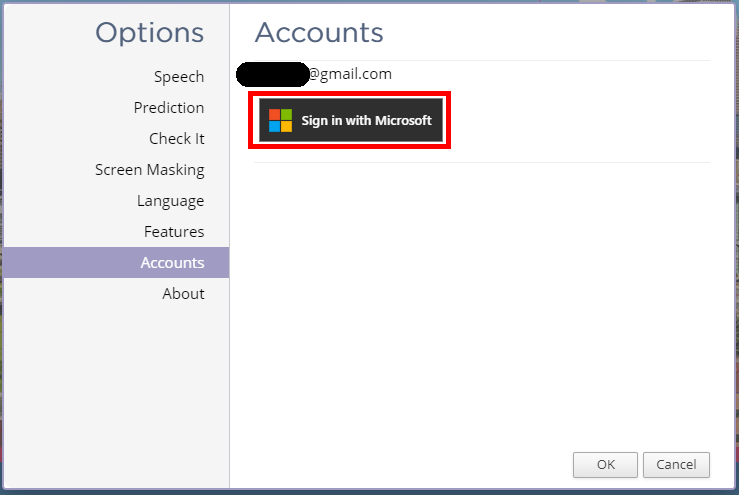
- If the email address displayed is NOT your MSU Denver email address, select the Sign in with Microsoft button.
- A Microsoft sign-in page should appear. Sign in to your student account as you normally would.
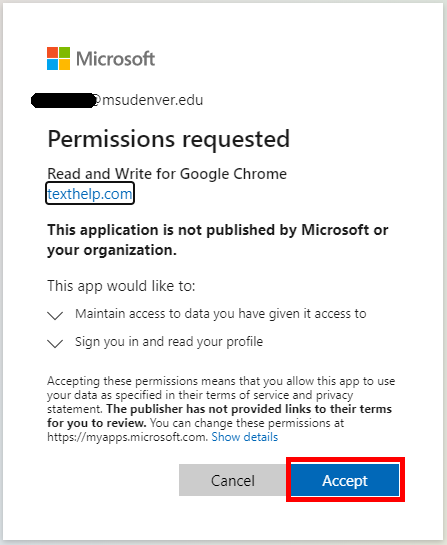
- A permission request screen will appear. Select the Accept button.
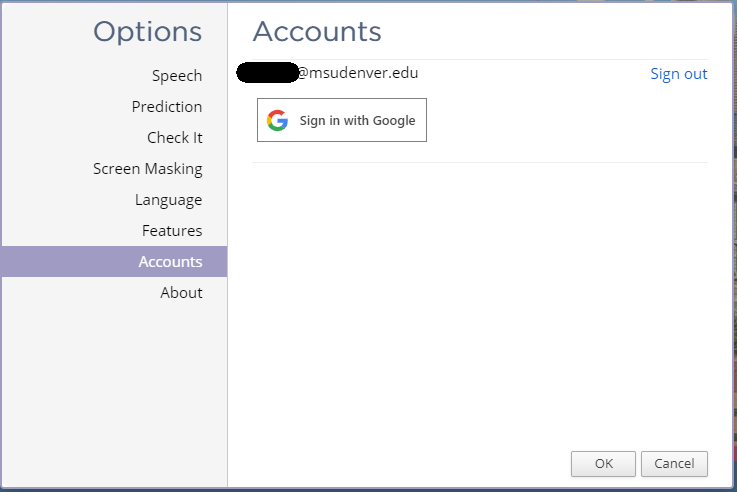
- You should be taken back to the Options window. Your MSU Denver email should be listed now, and the button should change to Sign in with Google.
- You are now ready to use Read&Write for Google Chrome!
Important note: You must be signed in with your student email in order for the license to validate. If at any time you see a message that your license will expire, please follow steps 5 – 11 to confirm you are signed in with your MSU Denver email address.
Contact Us
For our hours, location, phone numbers, and email addresses, please visit our About Our Office page by selecting the button below.
About Our Office